> For the complete documentation index, see [llms.txt](https://help.aristotlemetadata.com/llms.txt). Markdown versions of documentation pages are available by appending `.md` to page URLs; this page is available as [Markdown](https://help.aristotlemetadata.com/administrator-tasks/aristotle-cloud-settings-editor/adjusting-download-options.md).

# Adjusting download options

{% hint style="info" %}
Download options can only be adjusted by an Administrator.
{% endhint %}

Download options can be used to adjust options related to registry downloads.

### How to adjust download options

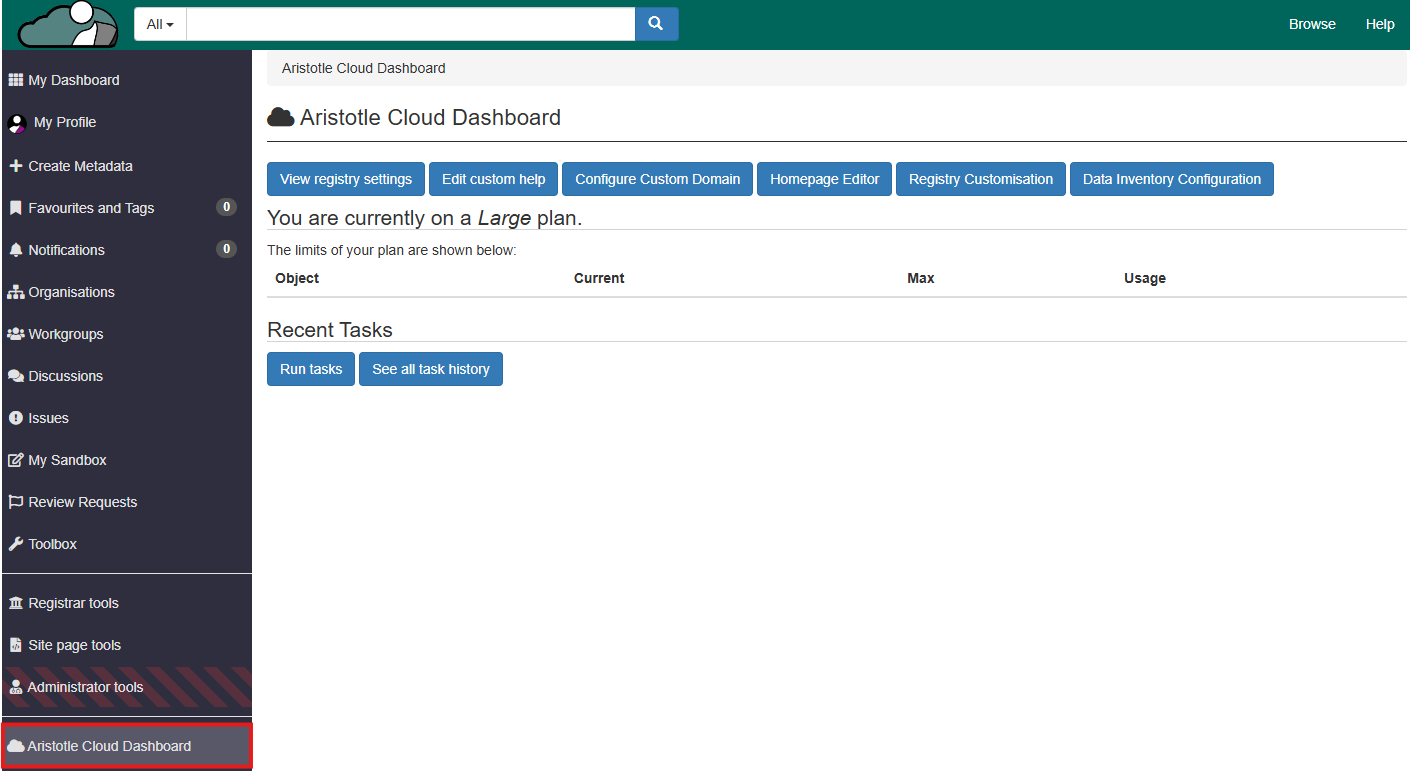
1. Select 'Aristotle Cloud Dashboard' from the dashboard side panel.

<figure><img src="/files/tJ6rLnw9RzQ0hOKw9nTu" alt=""><figcaption></figcaption></figure>

2. Select 'View registry settings'.

<figure><img src="/files/3rUdnvCqBVjFiBtHtIPP" alt=""><figcaption></figcaption></figure>

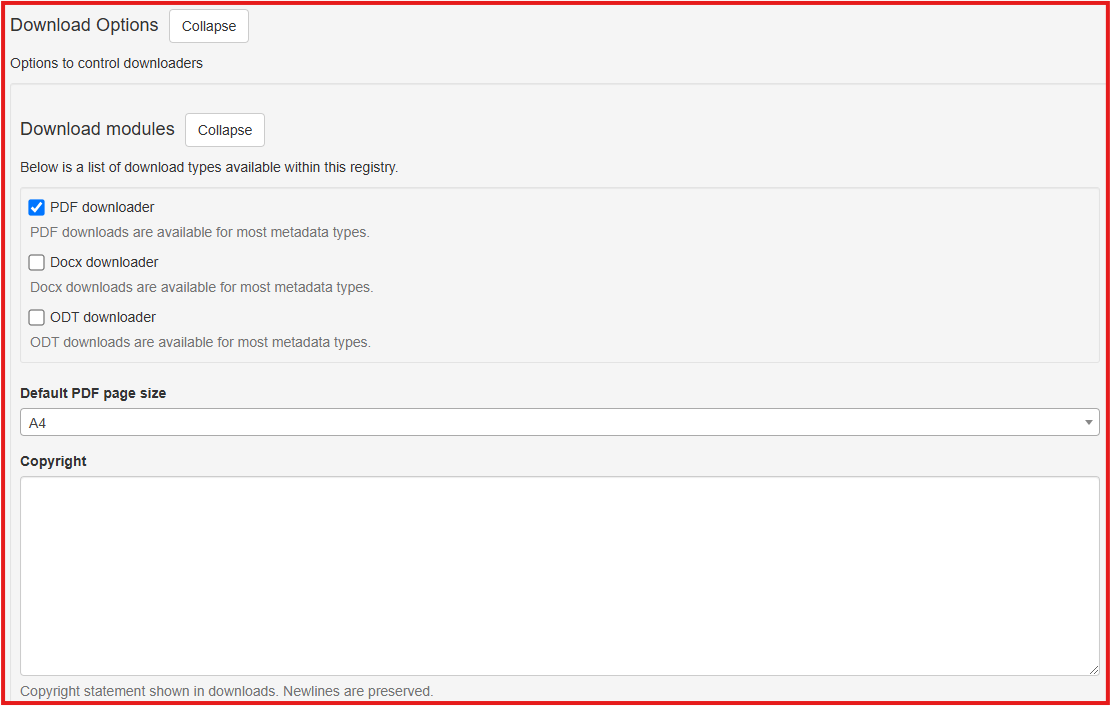
3. Under the appropriate subheadings, you may adjust the following:
   * 'Download modules': The download types available within the registry
   * 'Default PDF page size': The default page size used for PDF files
   * 'Copyright': The Copyright statement shown in downloads.
<figure><img src="/files/vpNwP8bFA9imFzSiF8xY" alt=""><figcaption></figcaption></figure>