> For the complete documentation index, see [llms.txt](https://help.aristotlemetadata.com/llms.txt). Markdown versions of documentation pages are available by appending `.md` to page URLs; this page is available as [Markdown](https://help.aristotlemetadata.com/administrator-tasks/task-runner/populating-help-pages-using-load-help.md).
# Populating help pages using load help
{% hint style="info" %}
The load help task can only be run by an Administrator.
{% endhint %}
The load help function can be used to automatically populate the Aristotle Metadata Registry's help pages.
### How to populate help pages using load help
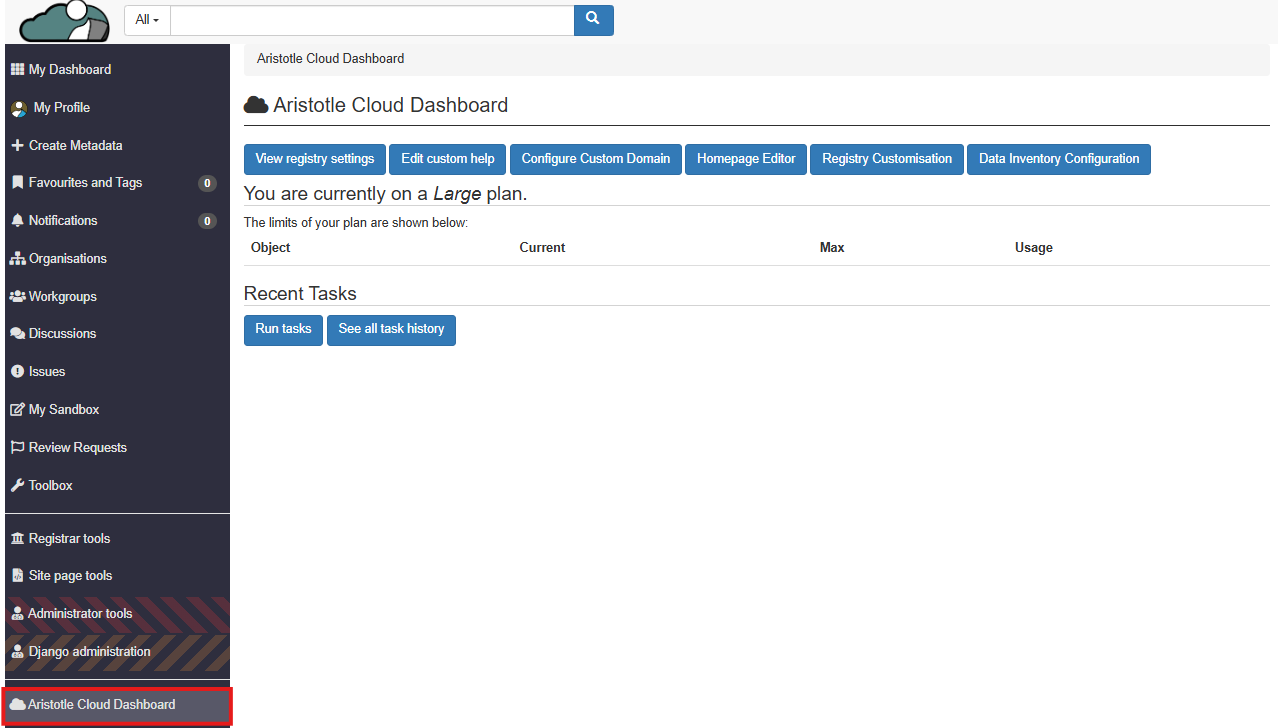
1. Select 'Aristotle Cloud Dashboard' from the left side panel.
2. Select 'Run tasks'.
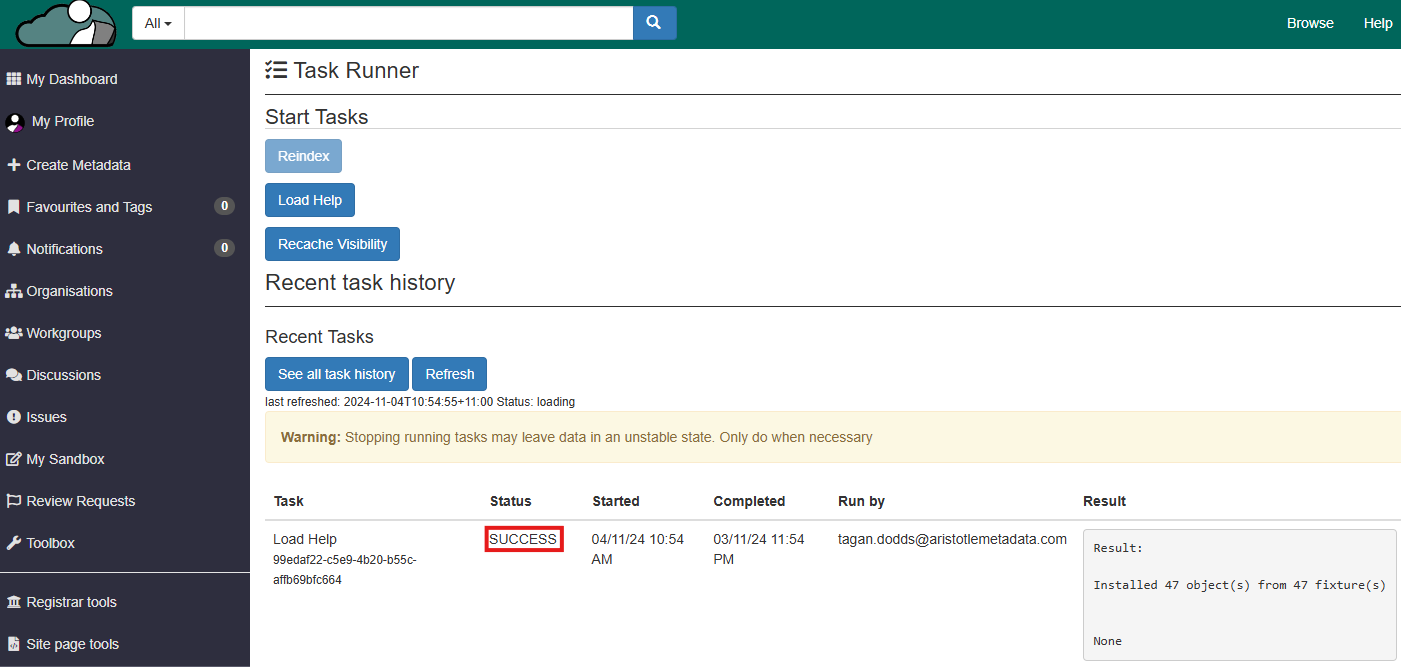
3. Select 'Load Help'.
4. Wait for the recent task history to show that the load help task has succeeded.
5. Access the help pages by selecting 'Help' from the header. This page will now be populated with the Aristotle Metadata Registry's help pages.
**Note:** You will now be able to search for these help pages via the search function.