# Commenting on a discussion

Discussions are engaged with by workgroup members via comments.

## How to comment on a discussion

1. From the desired workgroup's page, select the 'Discussions' tab.

<figure><img src="https://1464151032-files.gitbook.io/~/files/v0/b/gitbook-x-prod.appspot.com/o/spaces%2FIXci0eiRxXA0UhVYnwA2%2Fuploads%2FGplyHkK7Xovyg6ZdhLCD%2Fimage.png?alt=media&#x26;token=0b912331-cb24-4c60-816d-4a60bfcf0baa" alt=""><figcaption></figcaption></figure>

2. Select the discussion you wish to edit.

<figure><img src="https://1464151032-files.gitbook.io/~/files/v0/b/gitbook-x-prod.appspot.com/o/spaces%2FIXci0eiRxXA0UhVYnwA2%2Fuploads%2F6Jgf5M5bl5Dt3GcLlc7B%2Fimage.png?alt=media&#x26;token=6e0ae9e3-ba15-453e-8478-2e20558d8c2e" alt=""><figcaption></figcaption></figure>

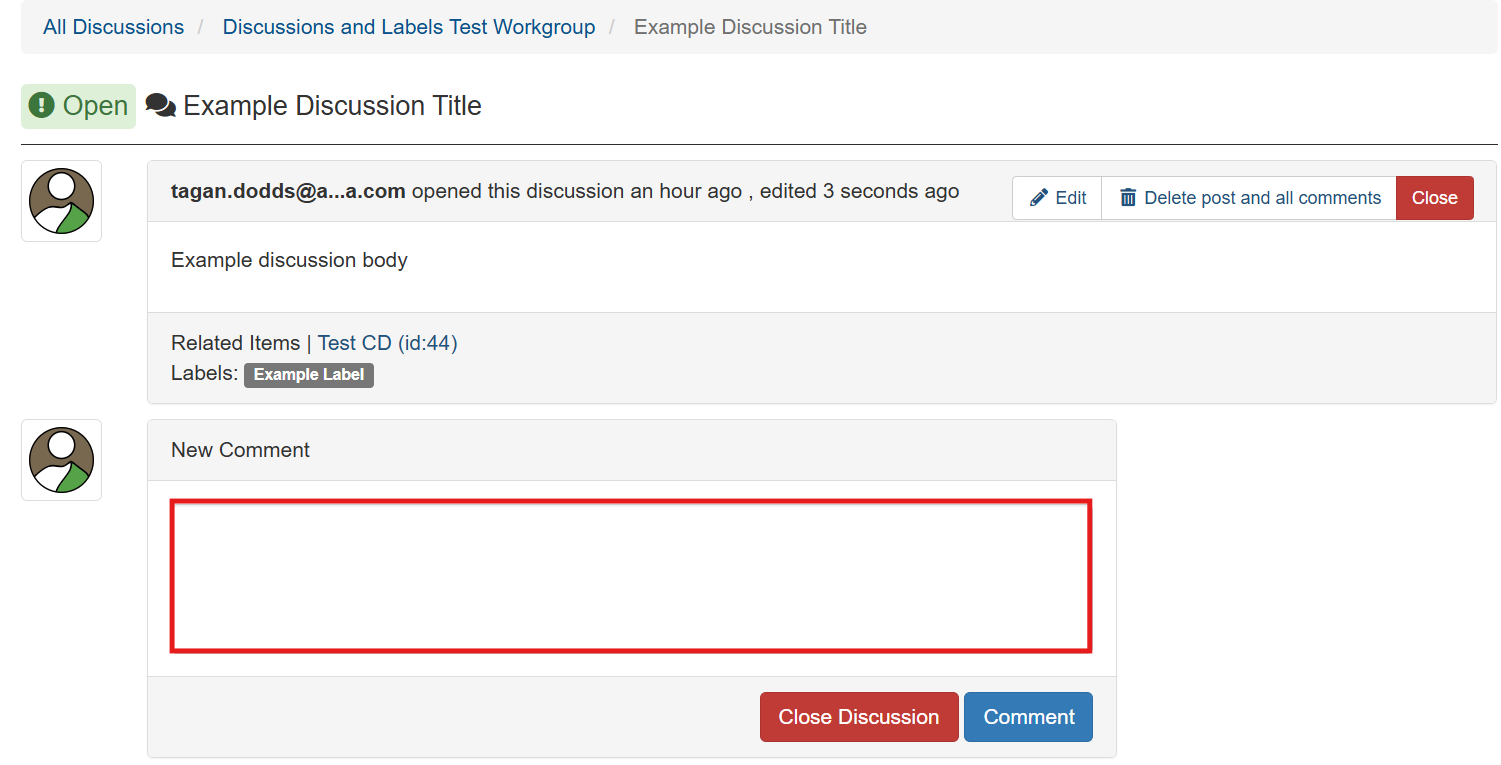
3. Select the 'New Comment' field, and enter the comment you wish to post.

<figure><img src="https://1464151032-files.gitbook.io/~/files/v0/b/gitbook-x-prod.appspot.com/o/spaces%2FIXci0eiRxXA0UhVYnwA2%2Fuploads%2Fx6K19JvVgM32f3jOsVvW%2Fimage.png?alt=media&#x26;token=a9e47ad1-1695-43f2-ab1f-2ecf6e1a8a41" alt=""><figcaption></figcaption></figure>

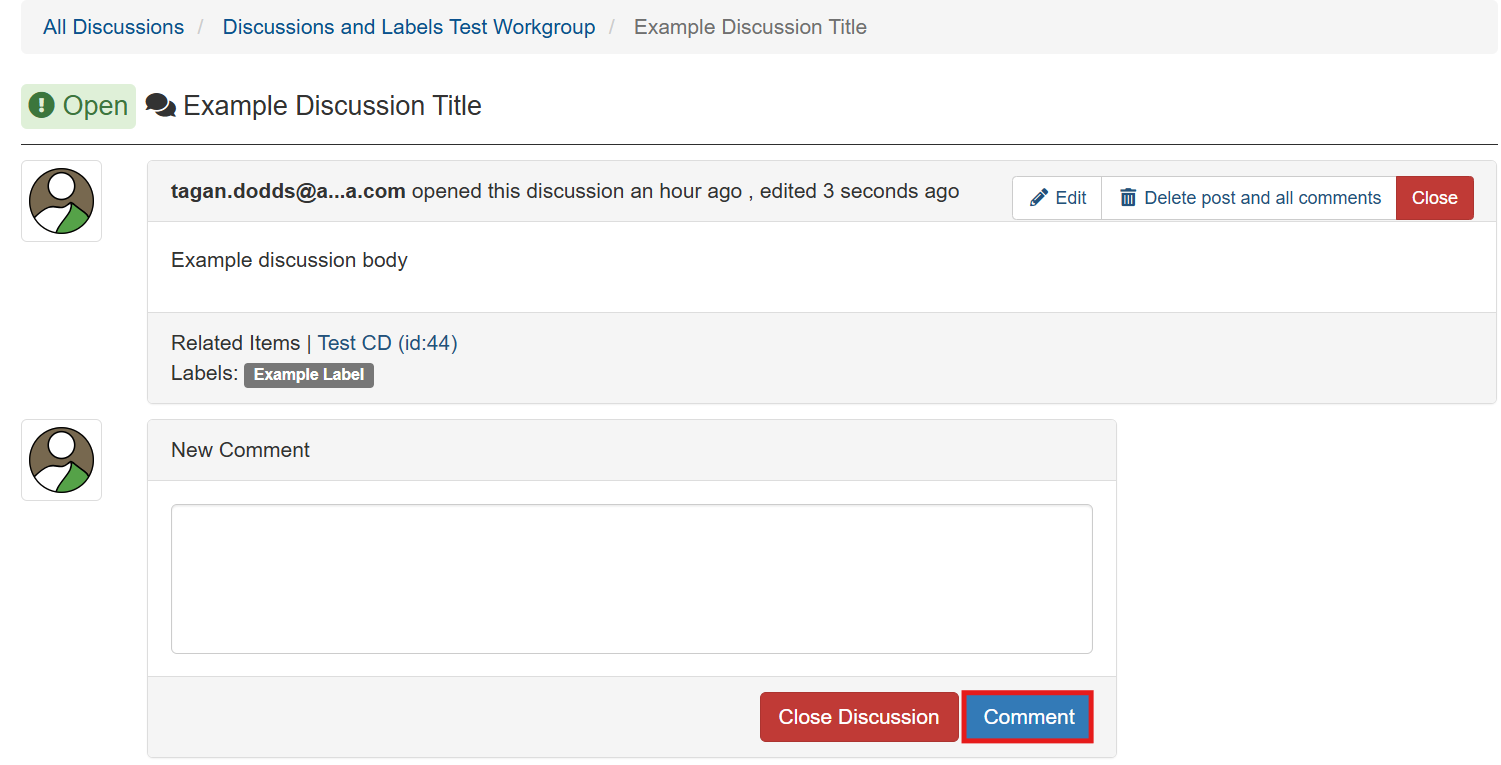
4. Select 'Comment'.

<figure><img src="https://1464151032-files.gitbook.io/~/files/v0/b/gitbook-x-prod.appspot.com/o/spaces%2FIXci0eiRxXA0UhVYnwA2%2Fuploads%2Fvnu4t8sJi3gKM0JH0tM9%2Fimage.png?alt=media&#x26;token=fd10514e-2534-46a6-97bd-3f769061d9cd" alt=""><figcaption></figcaption></figure>

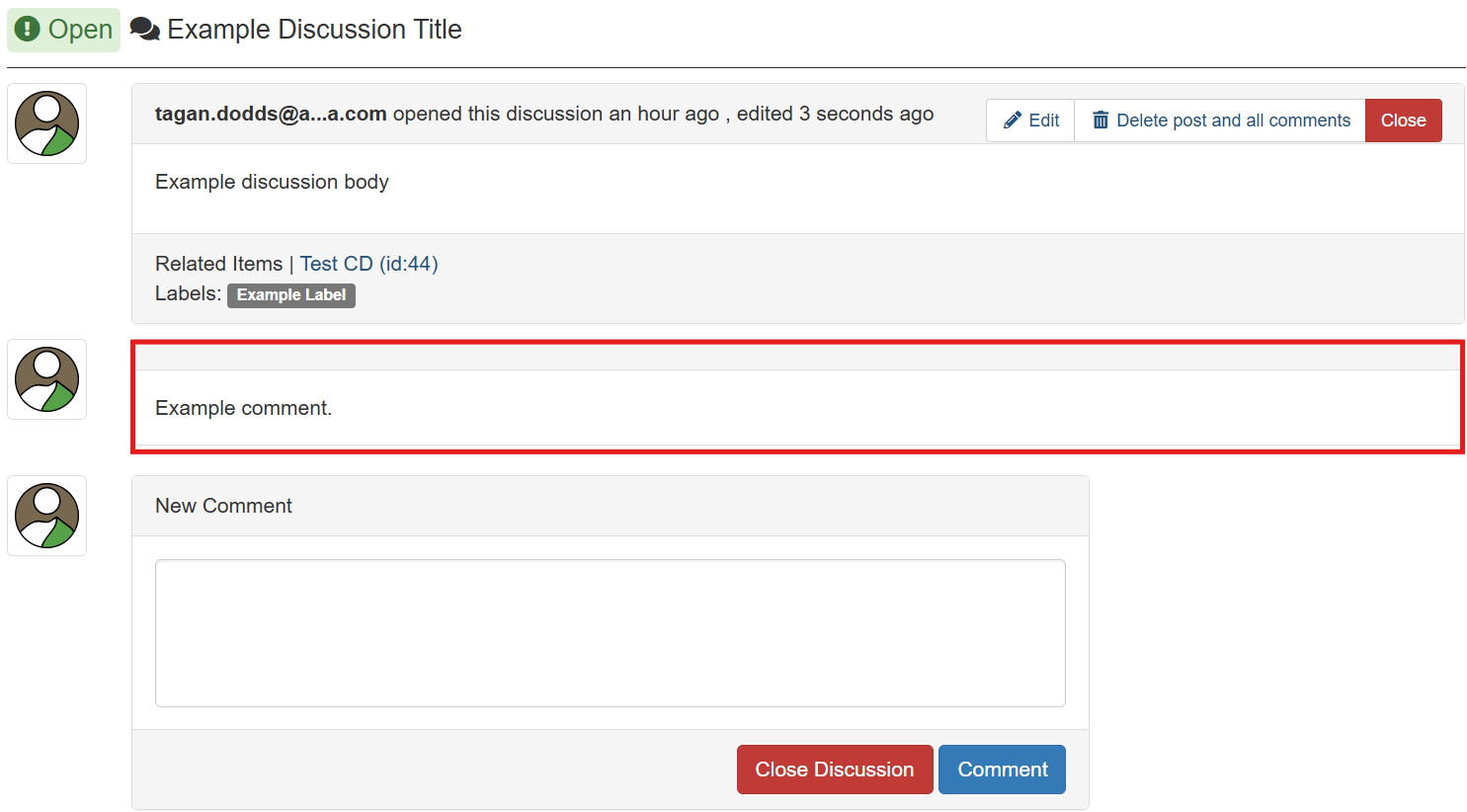
5. Your comment will be added to the discussion (below).

<figure><img src="https://1464151032-files.gitbook.io/~/files/v0/b/gitbook-x-prod.appspot.com/o/spaces%2FIXci0eiRxXA0UhVYnwA2%2Fuploads%2FL2YylYoUpxnshNLaLJfP%2Fimage.png?alt=media&#x26;token=f6ae5276-e848-4e6d-82d5-868483e6d273" alt=""><figcaption></figcaption></figure>