> For the complete documentation index, see [llms.txt](https://help.aristotlemetadata.com/llms.txt). Markdown versions of documentation pages are available by appending `.md` to page URLs; this page is available as [Markdown](https://help.aristotlemetadata.com/personalisation/notifications/viewing-all-notifications.md).
# Viewing all notifications
All users can view their most recent notifications from their user dashboard, or view all of their unread notifications in detail.
## How to view all notifications
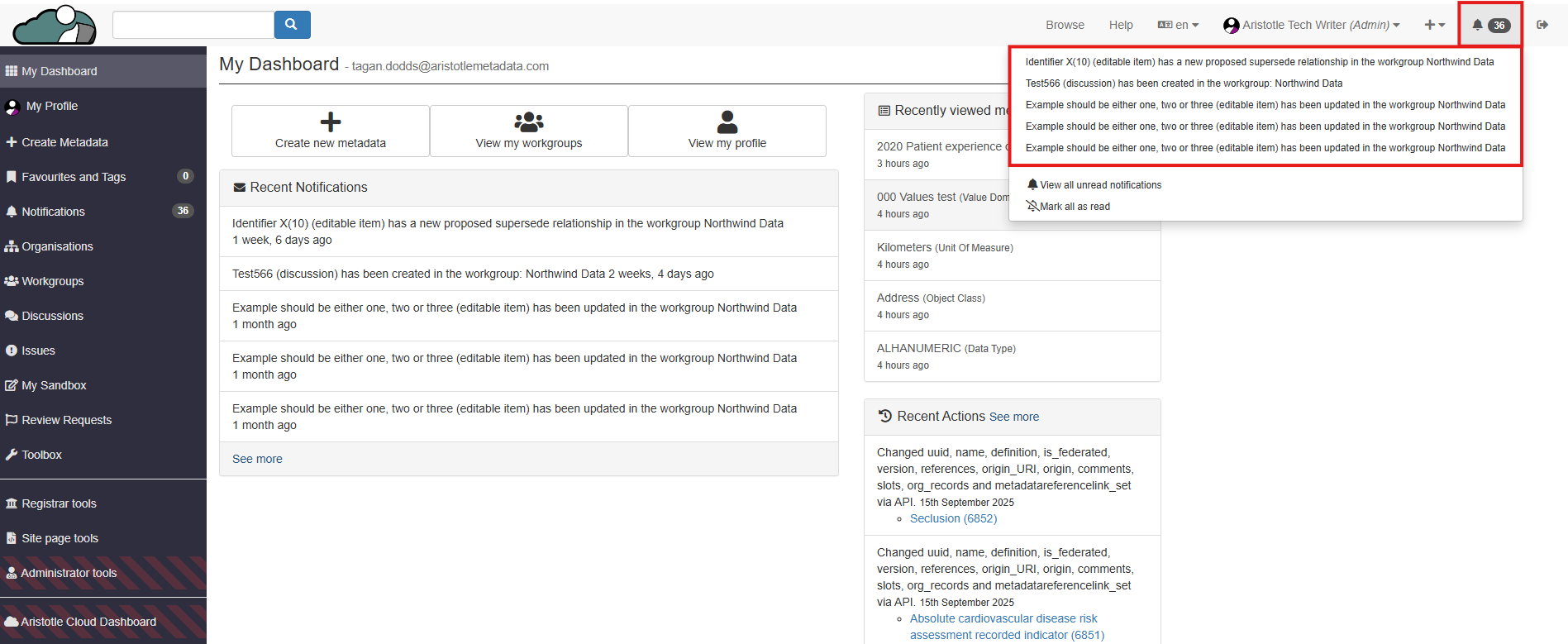
1. Select the notifications icon from the registry header. This will display the same selection of your most recent notifications as your dashboard.
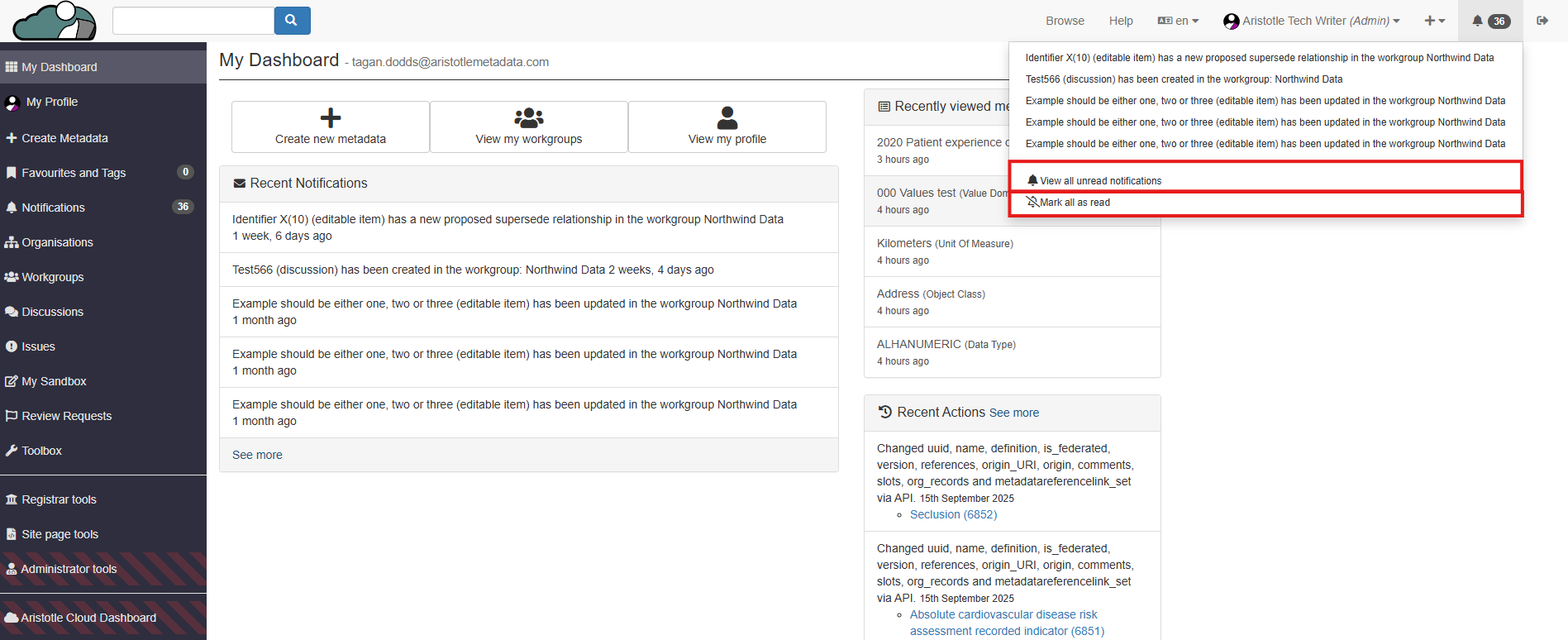
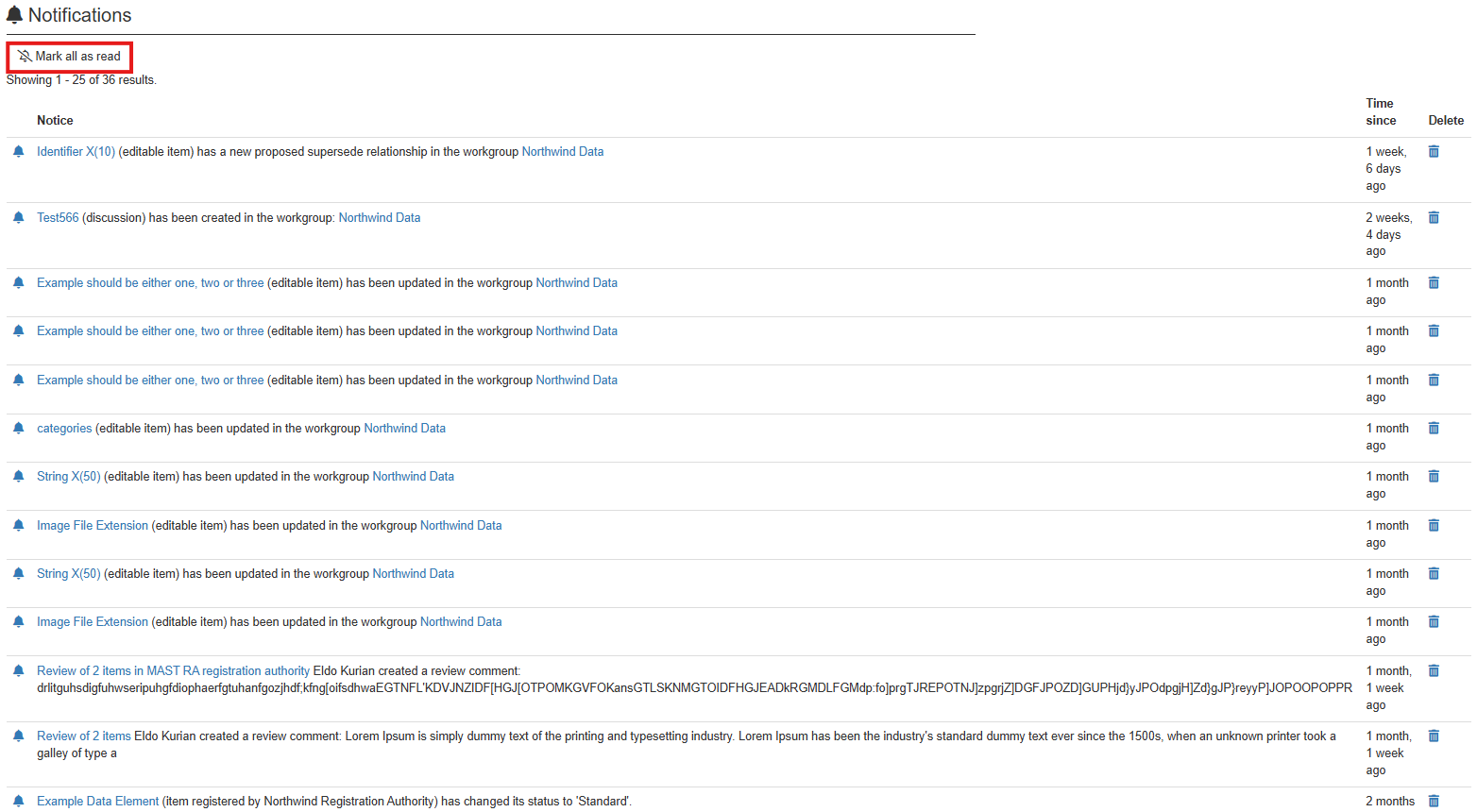
2. **If you wish to mark all notifications as read,** select 'Mark all as read'. **If you do not wish to mark all notifications as read**, select 'View all unread notifications'.
**Note:** Once read or marked as read, notifications will be deleted.
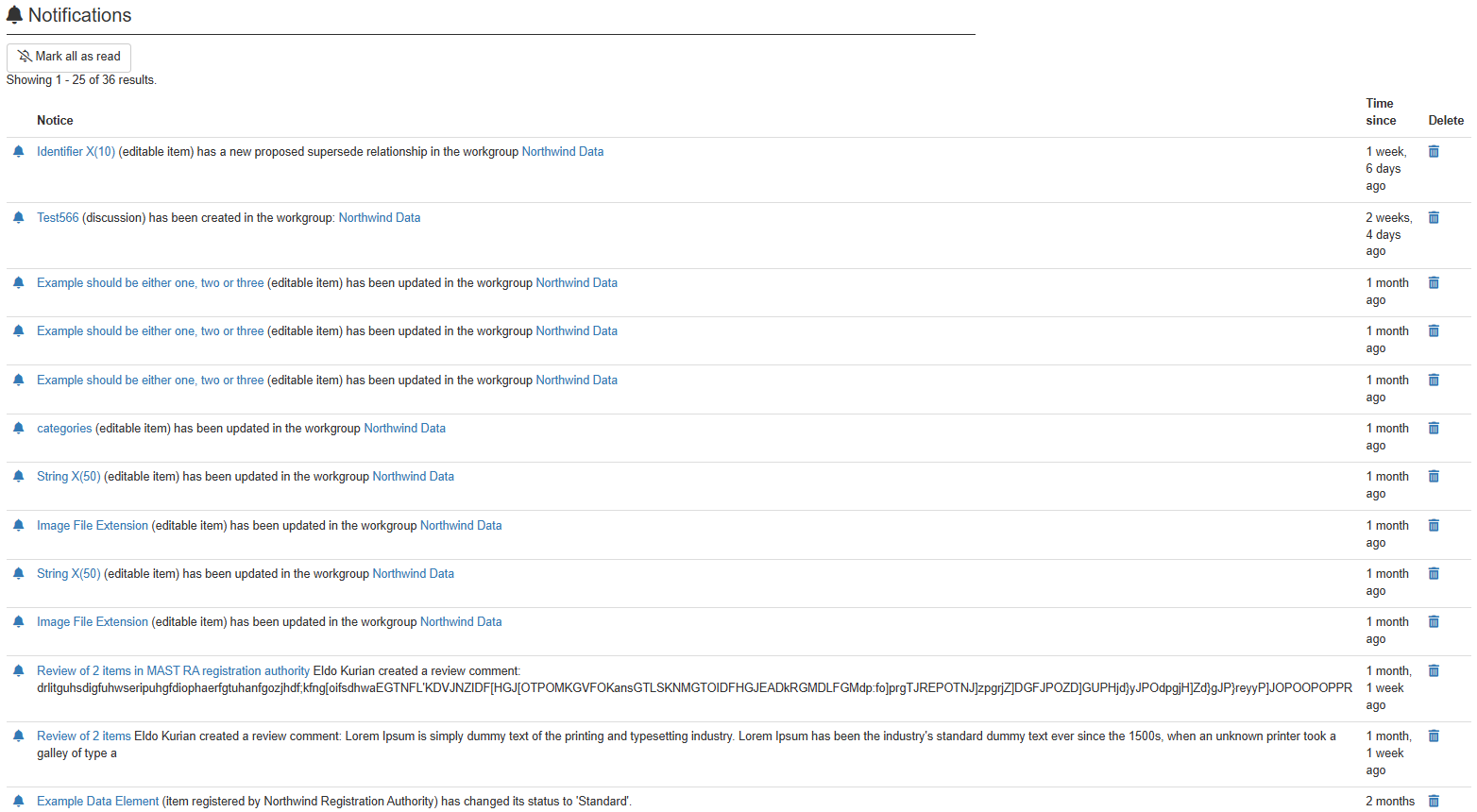
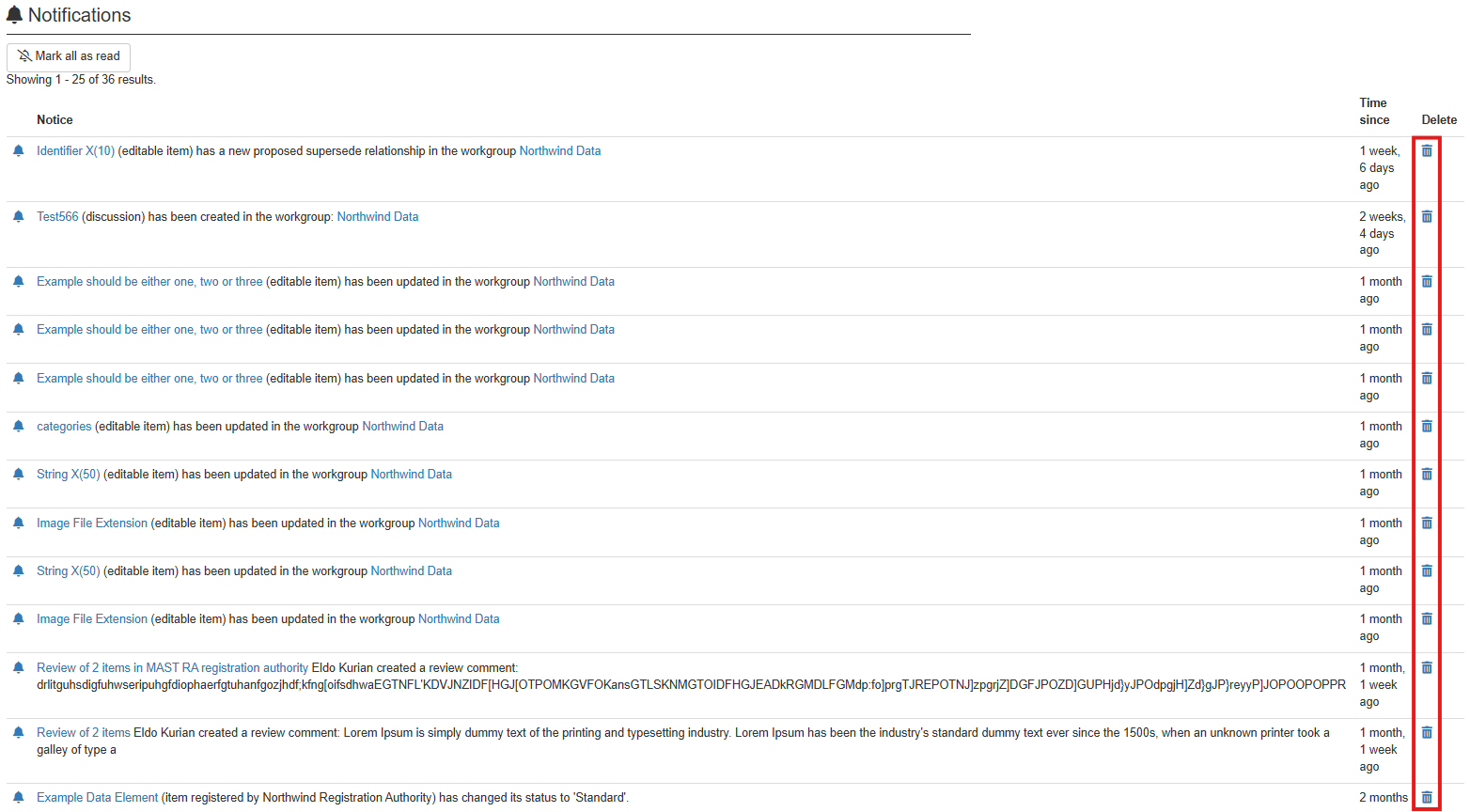
3. Review your notifications. **If you wish to delete a notification**, select the delete icon from that notification's row. **If you wish to mark all notifications as read**, select 'Mark all as read'.