> For the complete documentation index, see [llms.txt](https://help.aristotlemetadata.com/llms.txt). Markdown versions of documentation pages are available by appending `.md` to page URLs; this page is available as [Markdown](https://help.aristotlemetadata.com/stewardship-tasks/publishing-metadata.md).
# Publishing metadata
{% hint style="info" %}
Publishing is making metadata visible to a group of people without requiring endorsement, it can be done by any Steward of the Stewardship Organisation the item belongs to.
{% endhint %}
1\. Go to an item page.
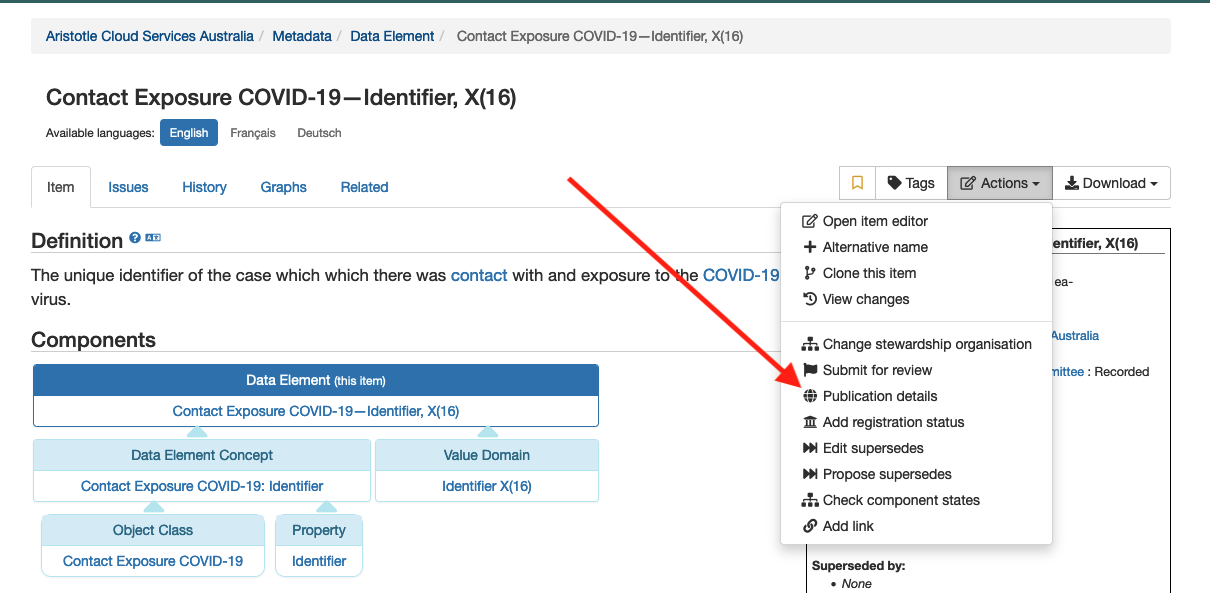
2\. From the Actions bar dropdown, select 'Publication details'.
3\. From here you can change the Permission, which lets you choose who can view this item and the Publication date, which is when the item is visible to the selected group.
4\. Once done, select 
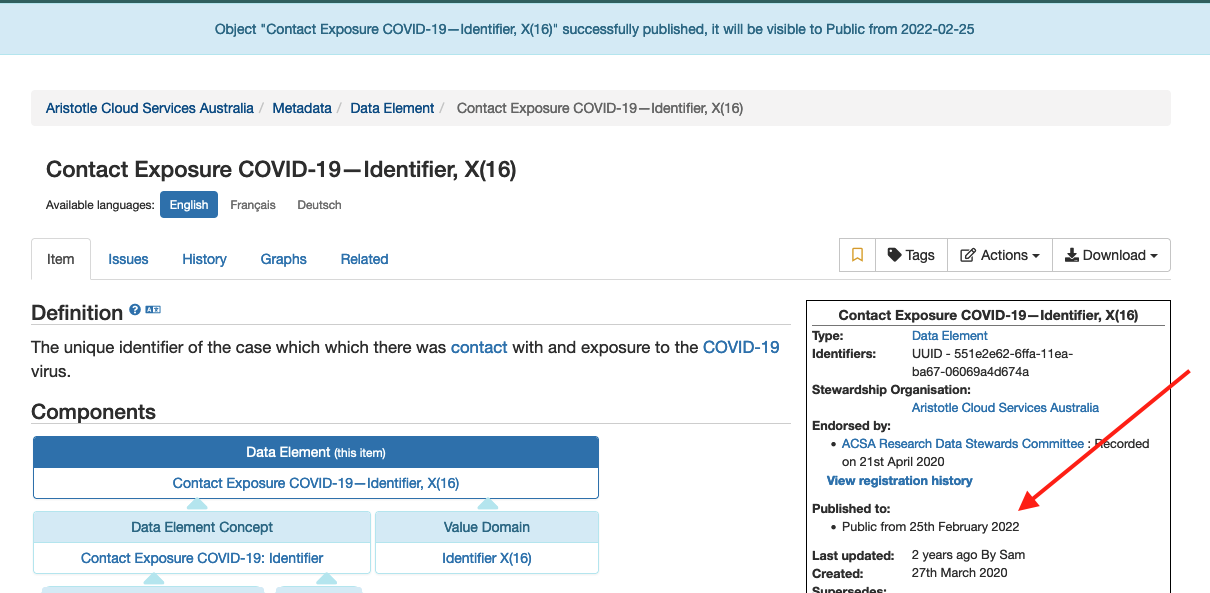
The publication details will now be visible in the Info box of the item: